📱 Garbage Pay
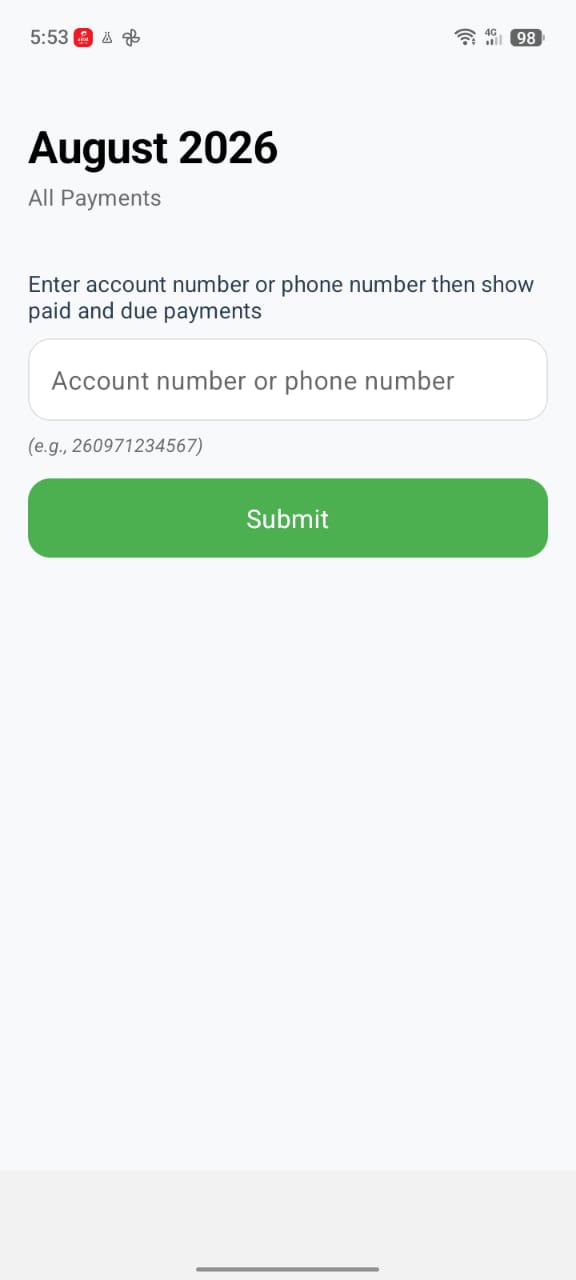
Garbage Pay allows customers to view and pay their garbage collection bills securely from their mobile devices.
Customers can:
- View unpaid bills
- View payment history
- Make full or partial payments
- Track payment status
- Receive payment confirmations
The application is designed to make bill payments quick and simple.
Who Uses This App
This app is always used by the billing point owner — the customer — never company staff.
Customers know their account number, so they're the right people to view their own bills and payment history, and to trigger a payment from their own phone number.
Home Screen
The application contains two main tabs — Unpaid and Paid. The Unpaid tab is active by default when the app opens.
Unpaid Bills
The Unpaid tab displays all outstanding bills.
Each bill includes:
- Billing period
- Invoice number
- Due date
- Outstanding balance
- Payment status
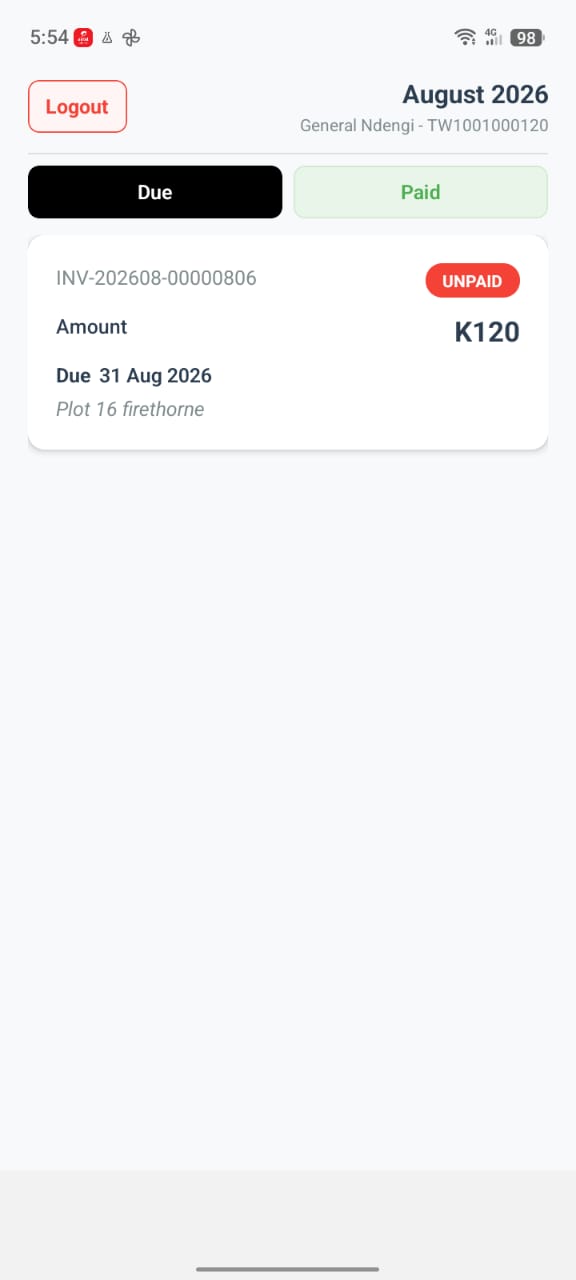
Customers can either:
- Pay the full amount
- Make a partial payment
Making a Payment
Select an unpaid bill to open the payment screen, showing the outstanding balance and an amount field.
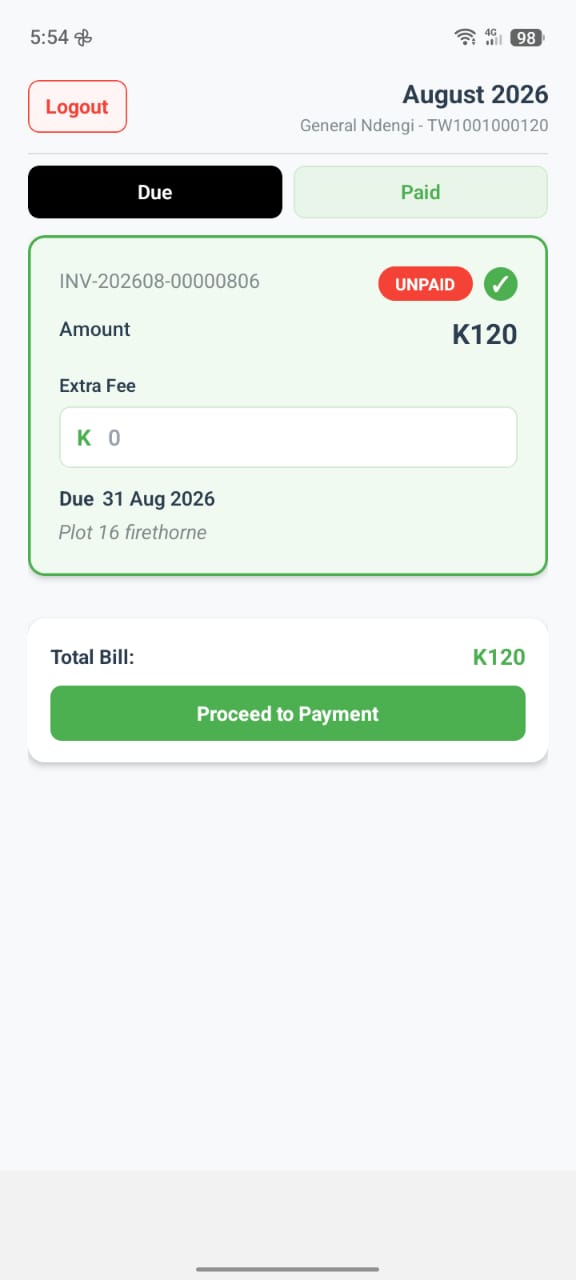
Customers can either pay the full outstanding balance in one go, or enter a smaller amount to make a partial payment. If a partial payment is made, the remaining balance stays in the Unpaid tab until fully paid.
Payment Flow
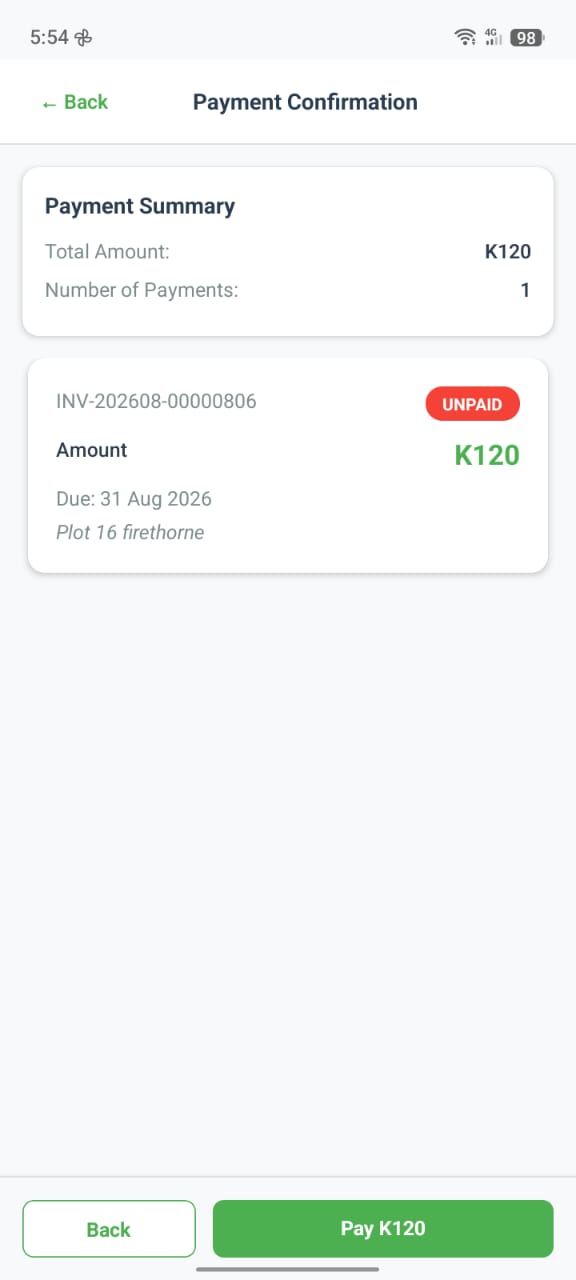
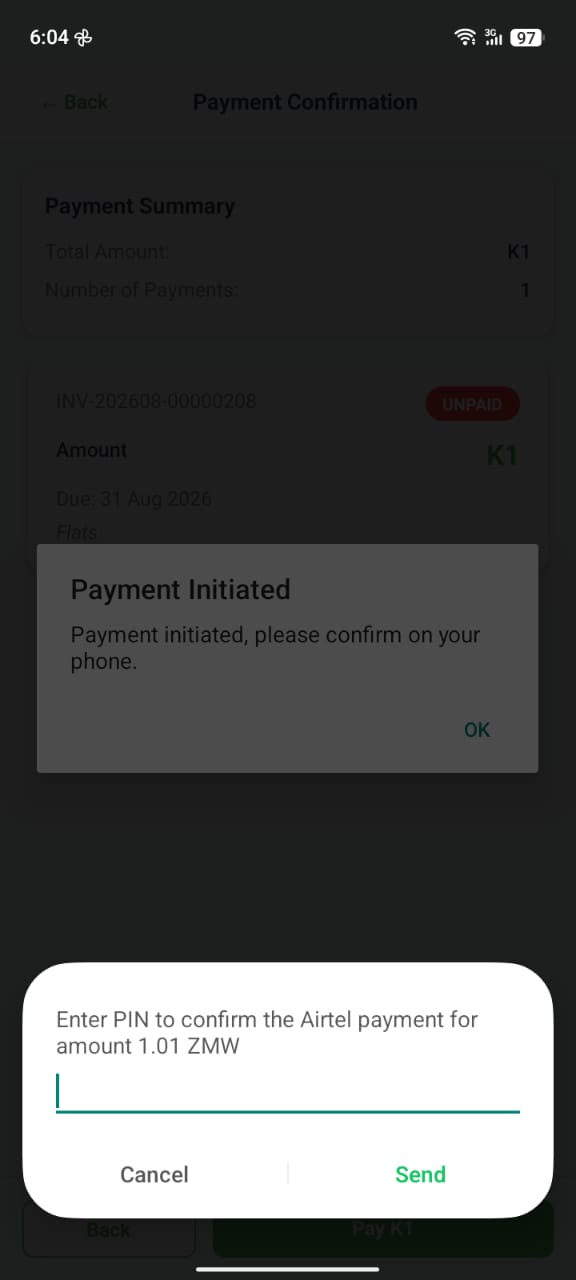
Open the app → select an unpaid bill → enter an amount (or pay the full amount) → confirm the payment → enter the PIN on the native prompt → payment successful.
Paid Bills
The Paid tab displays invoices that have been fully settled.
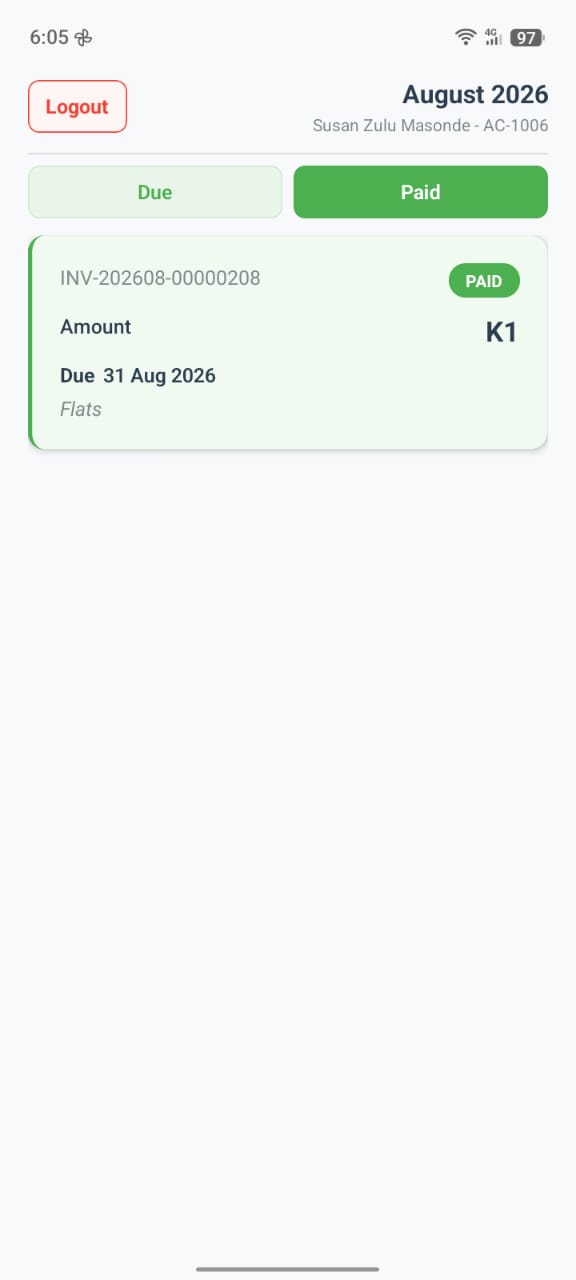
Customers can review previous payments at any time.
Payment Status
Bills display their current status.
| Status | Meaning |
|---|---|
| Unpaid | No payment has been made. |
| Partially Paid | A payment has been received, but a balance remains. |
| Paid | The bill has been fully settled. |
Expected Behaviour
The application should:
- Display all unpaid bills.
- Separate paid and unpaid bills.
- Allow customers to pay the full amount.
- Allow customers to make partial payments.
- Update the remaining balance immediately after payment.
- Move bills to the Paid tab once the balance reaches zero.
- Display payment confirmation after a successful transaction.