🗑️ Waste Management
📷 Screenshot Placeholder
Image:
waste-dashboard-overview.png
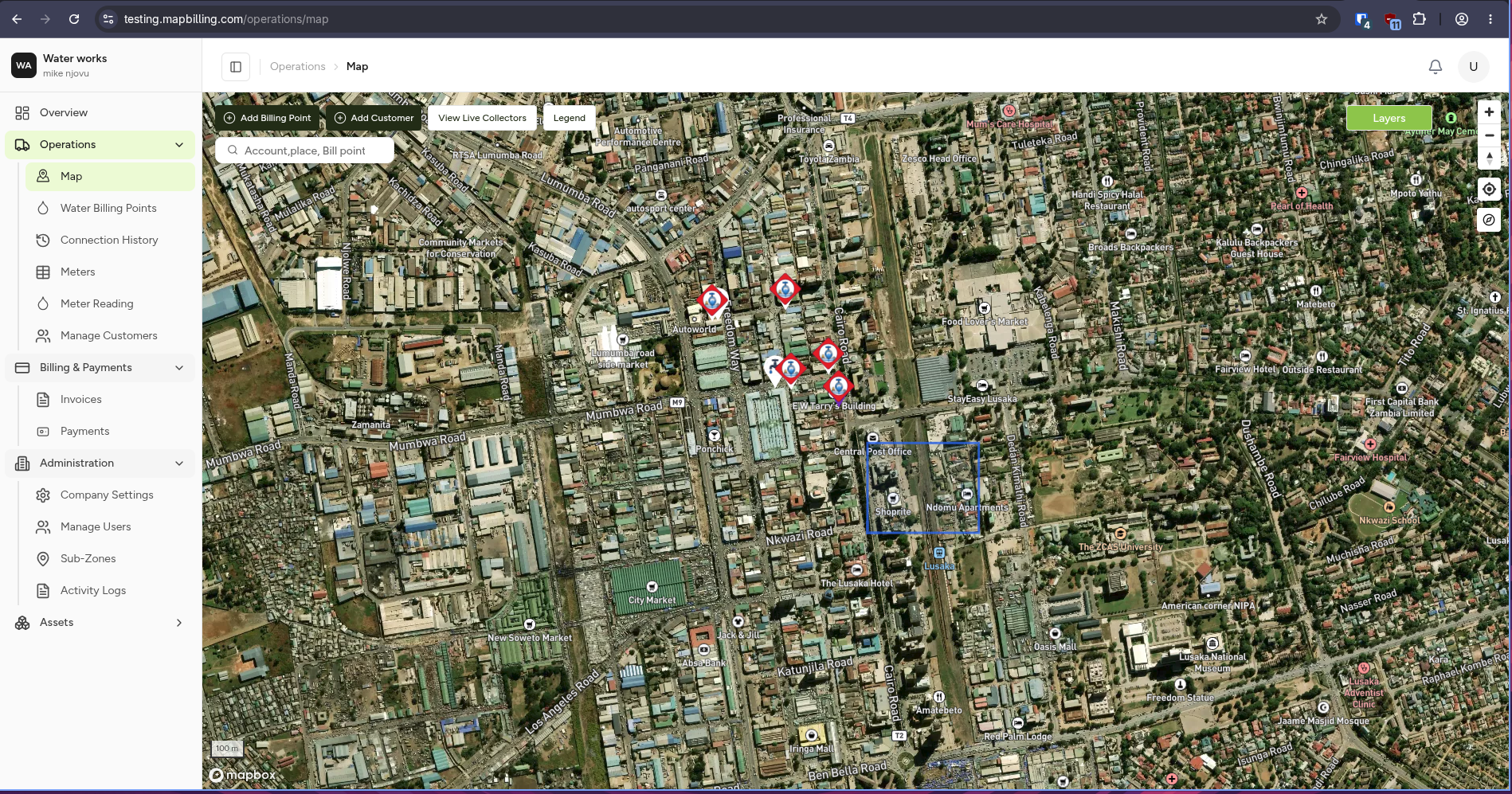
The Waste Management module helps organisations manage garbage collection customers, billing points, billing, and payments through the MapBilling platform.
Every customer service location is tied to a real-world location on the map, so billing and collection records always stay connected to where the service actually happens.
What is Waste Management?
Waste Management covers the core administrative and billing workflow for garbage collection services: registering customers, creating billing points, tracking collection history, generating invoices, and collecting payments.
flowchart LR

A[Customers]
--> B[Garbage Billing Point]

B --> C[Collection History]
B --> D[Invoices]
B --> E[Payments]
Module Overview
Waste Management

├── Garbage Billing Points
├── Garbage History
├── Map
├── Customers
├── Billing and Payments
├── Administration
└── Garbage Pay
Each section is covered in detail in the following pages.
👥 Who Uses This Module?
| Role | Responsibilities |
|---|---|
| 👷 Field Worker | Records collections via the Web platform |
| 💰 Billing Officer | Generates and manages invoices |
| 📊 Operations Manager | Monitors billing points and collection history |
| ⚙️ Administrator | Configures users, sub-zones, and company settings |
📌 Key Features
- 📍 Map-based billing point creation
- 🧾 Customer billing and invoicing
- 💳 Payment collection and verification
- 🔄 Collection history and audit trail
- 📱 Garbage Pay customer payment app
The Waste Modules
Waste Management is organised around seven modules: Garbage Billing Points, Garbage History, Map, Customers, Billing and Payments, Administration, and Garbage Pay.
Garbage Billing Points
Every customer service location is registered as a billing point tied to a location on the map, which is what collection, invoicing, and payment all attach to.
➜ See Garbage Billing Points for the full walkthrough, or Creating a Billing Point to add a new one.
Garbage History
Tracks the history of garbage collection activity recorded against billing points, including completed and missed collections.
➜ See Garbage History for the full walkthrough.
Map
The operational map is the central location-based workspace, giving a visual view of customers and billing points.
➜ See Map for the full walkthrough.
Customers
The customer register, with search tools, filters, and available customer actions.
➜ See Customers for the full walkthrough.
Billing and Payments
Customer invoices, outstanding balances, invoice totals, and payment collection.
➜ See Invoices for the full walkthrough.
Administration
Company information, contact details, users, sub-zones, and activity logs.
➜ See Company Settings for the full walkthrough.
Garbage Pay
The customer-facing mobile app for viewing and paying garbage collection bills.
➜ See Garbage Pay for the full walkthrough.