🗺️ Sub-Zones Management
Purpose Manage operational sub-zones used to organise customers, billing points, assets, and field activities.
Callouts
- Search
- Status Filter
- Add Sub-Zone
- Sub-Zone Register
- Import Feature (Coming Soon)
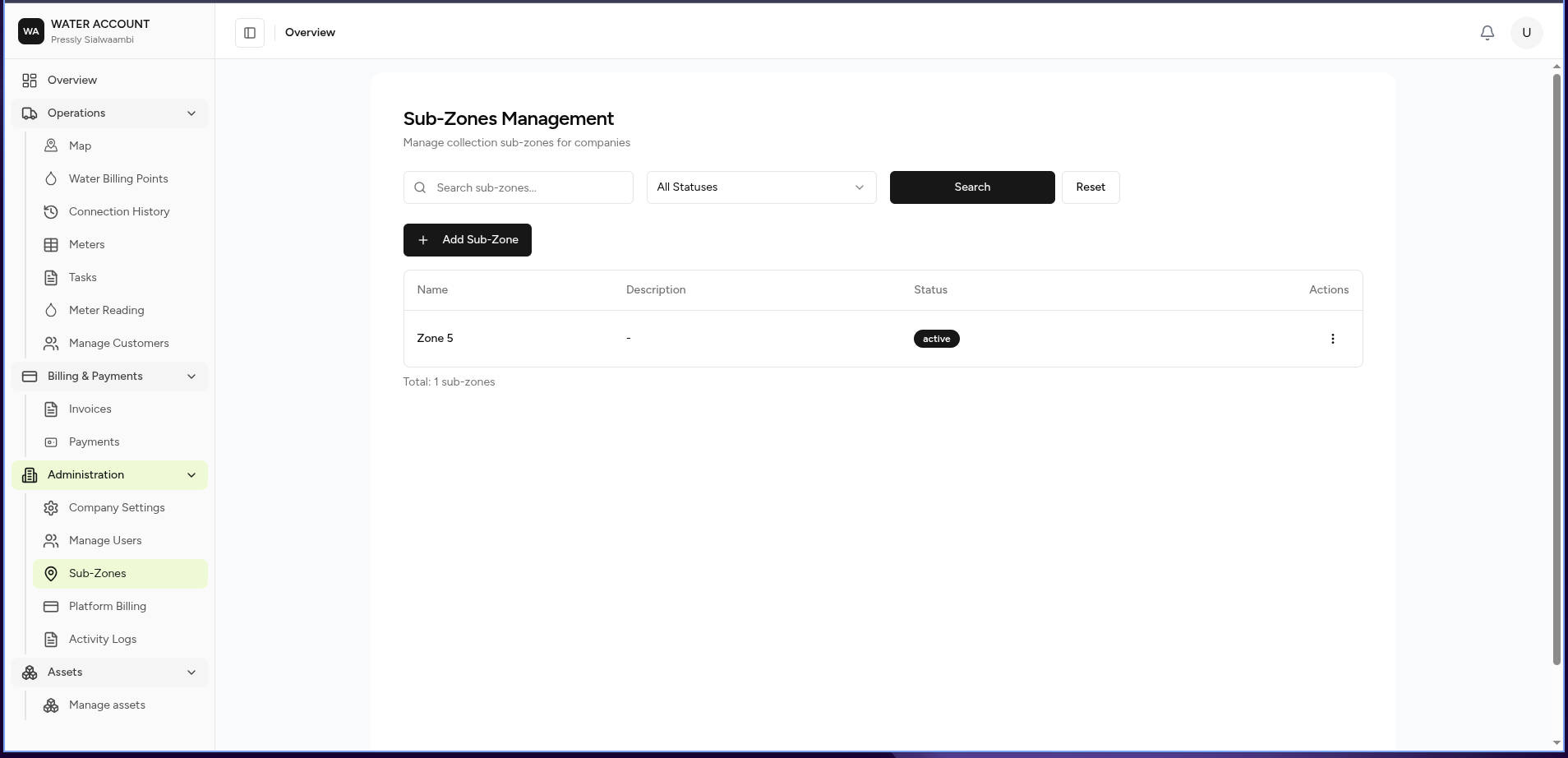
The Sub-Zones Management page allows administrators to create and manage operational areas within the company.
Sub-zones help organise service locations and make it easier to manage billing points, customers, assets, and field operations by geographic area.
What is a Sub-Zone?
A Sub-Zone is a defined operational area used to group service locations.
Examples:
Company Area

├── Zone A
│   ├── Lumumba Town
│   ├── Kabanana
│
├── Zone B
│   ├── Garden
│   └── Corporate Park
Sub-zones can be used for:
- Customer organisation
- Billing management
- Field assignments
- Reporting
- Operational analysis
What You Can Do
From this page you can:
- View existing sub-zones
- Search sub-zones
- Filter by status
- Add new sub-zones
- Manage sub-zone information
- Import sub-zones (coming soon)
Screen Layout
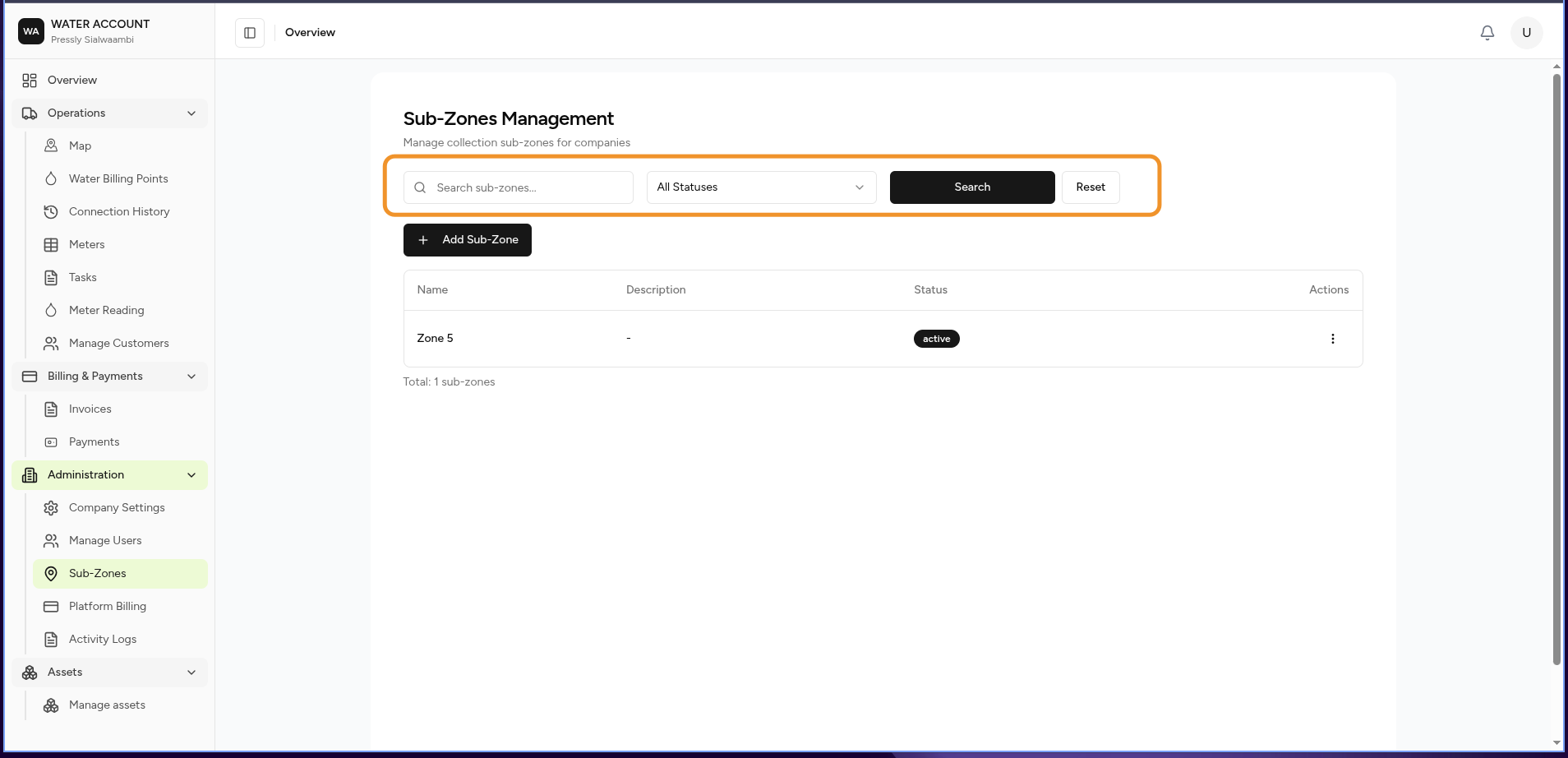
The page contains:
- Search
- Status Filter
- Actions
- Sub-Zone Register
Search
Search for a sub-zone using:
- Name
- Description
Example:
Lumumba
Filters
Available filters:
| Filter | Description |
|---|---|
| Status | Active or inactive sub-zones |
Add Sub-Zone
Select:
Add Sub-Zone
to create a new operational area.
A sub-zone typically contains:
| Field | Description |
|---|---|
| Name | Sub-zone name |
| Description | Additional information |
| Status | Active or inactive |
Sub-Zone Register
The register displays all configured sub-zones.
| Column | Description |
|---|---|
| Name | Sub-zone name |
| Description | Sub-zone details |
| Status | Current state |
| Actions | Available operations |
Import Sub-Zones (Coming Soon)
Future versions will support importing sub-zones from external data sources.
Expected workflow:
Prepare File

↓

Upload Sub-Zones

↓

Validate Data

↓

Review Errors

↓

Import

↓

Sub-Zones Available
Supported formats may include:
- CSV
- Excel
- GIS data formats
Expected Behaviour
The system should:
- Display all available sub-zones.
- Allow searching and filtering.
- Prevent duplicate sub-zone names.
- Allow administrators to activate or deactivate areas.
- Apply sub-zone assignments across related records.
Business Rules
- Sub-zones belong to a company.
- Only administrators can create or modify sub-zones.
- Inactive sub-zones should remain available for historical records.
- Deleting a sub-zone should not remove linked customers or assets.
Related Pages
- Customers
- Water Billing Points
- Meters
- Reports
- Activity Log
- Company Settings