🗺️ Asset Management
Purpose Manage, upload, and review physical assets used in field operations.
Callouts
- Upload Assets
- Uploaded Files
- Asset Types
- Attributes
- Asset Details
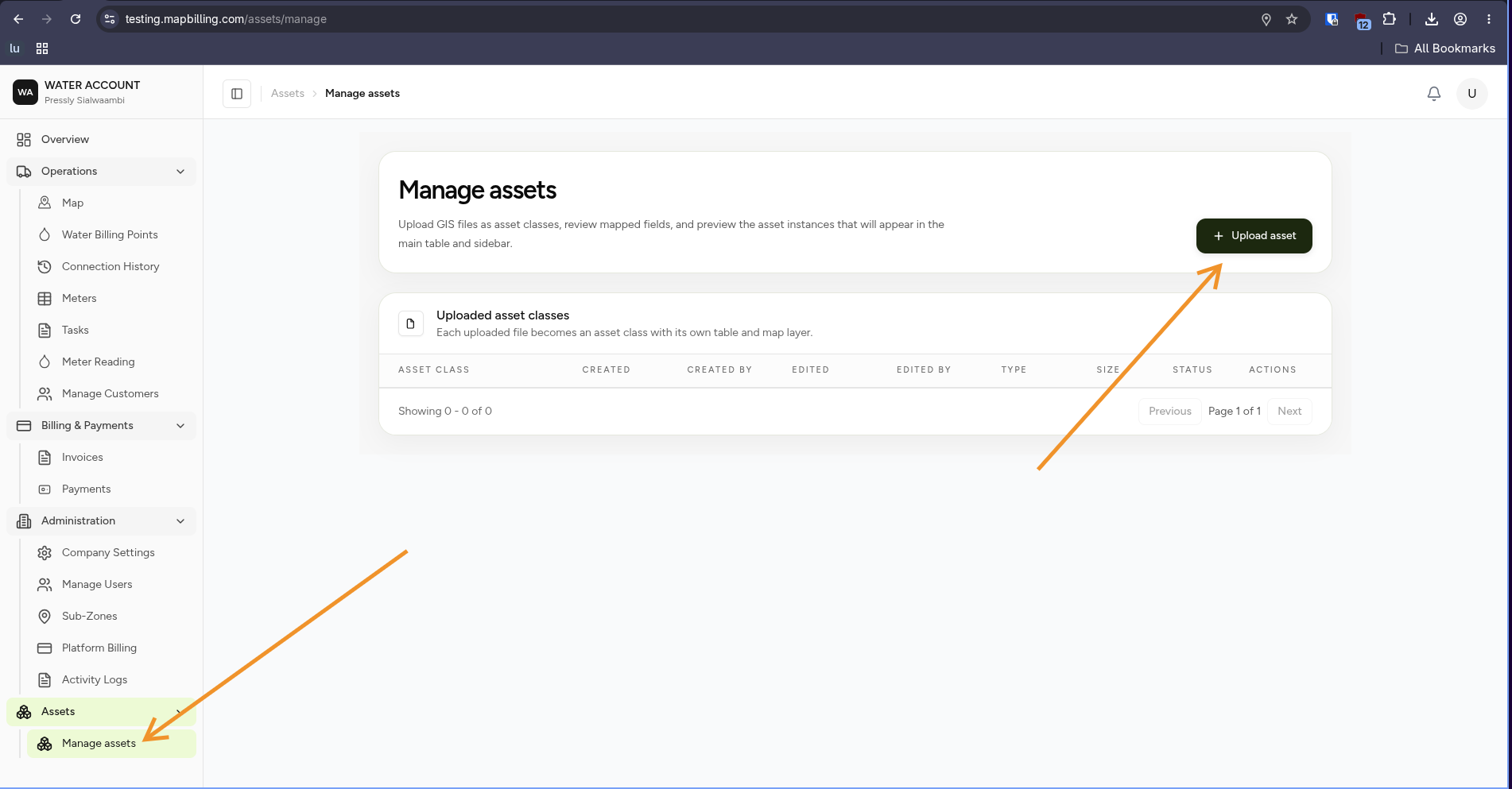
The Asset Management page allows organisations to manage infrastructure data and operational assets.
Assets can represent physical objects such as:
- Water meters
- Pipelines
- Valves
- Reservoirs
- Sensors
- Collection infrastructure
Assets can be displayed on the map and enriched with custom attributes.
What You Can Do
From this page you can:
- Upload asset data
- View uploaded files
- Review asset types
- Manage asset information
- View asset attributes
- Track asset changes
Asset Workflow
Collect Asset Data

        ↓

Prepare GIS / Asset File

        ↓

Upload Asset Data

        ↓

Validate Information

        ↓

Assets Added To Map

        ↓

Manage Operations
Upload Assets
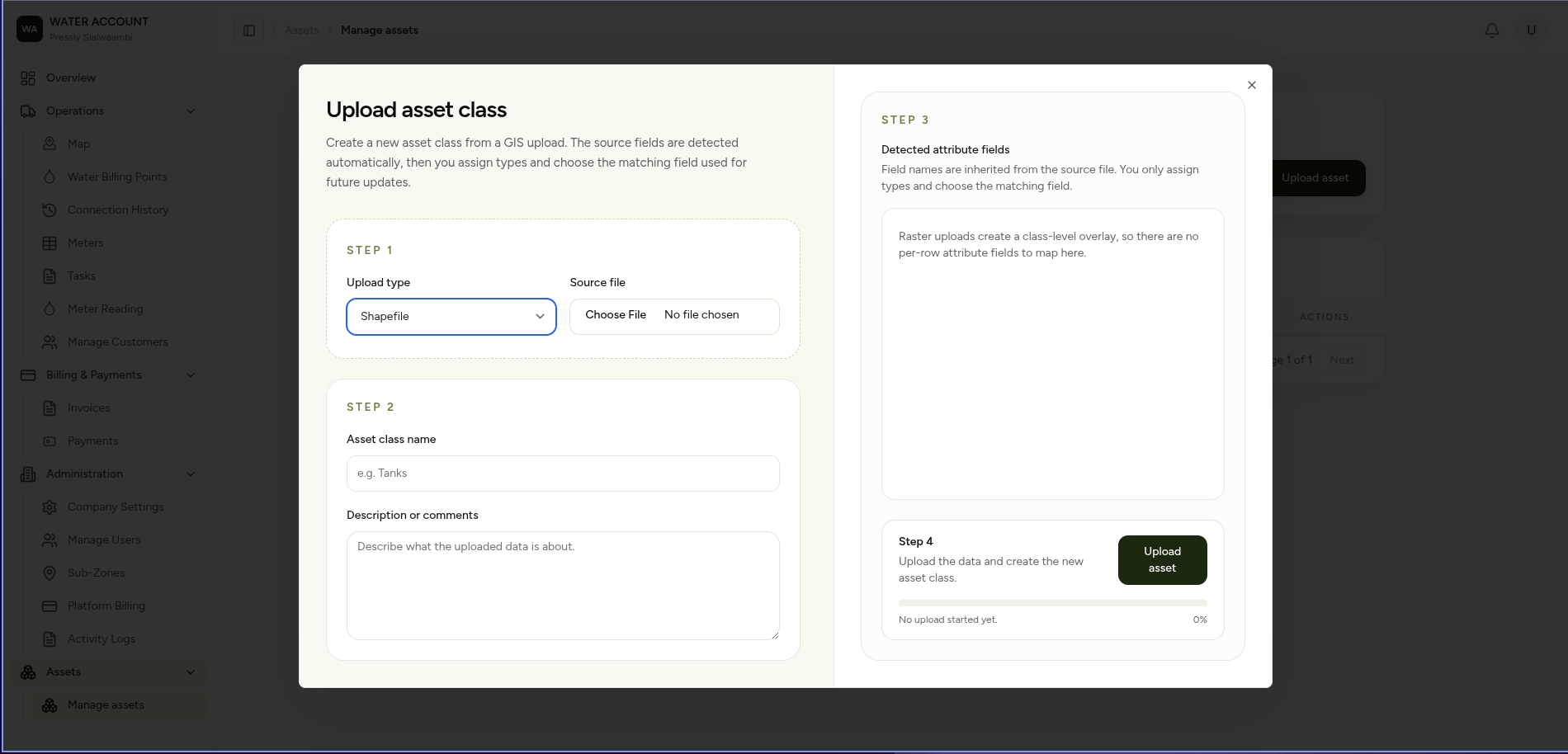
Use the Upload button to add new asset information.
Supported asset uploads may include:
- GIS files
- CSV files
- Excel files
- Spatial data formats
Examples:
north-zone-pipes-july.svg

Type:
Pipeline
meter-batch-east-block.svg

Type:
Meters
Uploaded Files
The uploaded files table shows imported asset data.
| Field | Description |
|---|---|
| Name | Uploaded file name |
| File Type | Asset category |
| Date Uploaded | When the file was added |
| Added By | User who uploaded |
| Last Updated By | Latest user who modified |
| Actions | Available operations |
Example Uploaded Assets
| File | Type |
|---|---|
| north-zone-pipes-july.svg | Pipeline |
| meter-batch-east-block.svg | Meters |
| reservoir-sensors-layout.svg | Sensors |
| valve-maintenance-grid.svg | Valves |
Asset Attributes
Assets can contain custom information describing the physical object.
Example:
| Attribute | Value | Data Type | Updated |
|---|---|---|---|
| Material | HDPE | Text | 03 Jul 2026 |
| Diameter | 150 mm | Numeric | 03 Jul 2026 |
| Pressure Zone | North Ridge | Text | 02 Jul 2026 |
| Condition | Operational | Status | 01 Jul 2026 |
Attribute Types
Assets support different data types.
| Type | Example |
|---|---|
| Text | HDPE |
| Numeric | 150 mm |
| Date | 03 Jul 2026 |
| Status | Operational |
| Boolean | Active / Inactive |
Map Visualisation
Assets can be viewed spatially.
Example:
Map

 ├── Pipeline Layer
 │       └── HDPE pipes
 │
 ├── Meter Layer
 │       └── Customer meters
 │
 ├── Valve Layer
 │       └── Isolation valves
 │
 └── Sensor Layer
         └── Monitoring devices
Users can:
- Click assets on the map.
- View asset information.
- Filter by attributes.
- Identify operational issues.
Asset Lifecycle
Assets move through different operational states.
Example:
Installed

   ↓

Operational

   ↓

Maintenance Required

   ↓

Repaired

   ↓

Operational
Expected Behaviour
The system should:
- Validate uploaded files.
- Preserve original asset information.
- Display assets on the map.
- Store asset attributes.
- Track asset updates.
- Maintain asset history.
Business Rules
- Every asset belongs to a company.
- Asset IDs must be unique.
- Asset attributes can vary by asset type.
- Deleted assets should remain recoverable.
- Asset changes should appear in Activity Logs.
Common Use Cases
Water Utility
Example:
Find all operational meters in North Ridge.
Filter:
Asset Type:
Meter

Condition:
Operational

Pressure Zone:
North Ridge
Maintenance Team
Example:
Identify valves requiring attention.
Filter:
Asset Type:
Valve

Condition:
Maintenance Required
Related Pages
- Maps Overview
- Meter Management
- Water Billing Points
- Activity Log
- Reports
- Company Settings