🧾 Invoices
Purpose Display all customer invoices, outstanding balances, invoice totals, filters, and invoice actions.
Callouts
- Action Bar
- Search & Filters
- Invoice Totals
- Invoice Register
- Invoice Actions
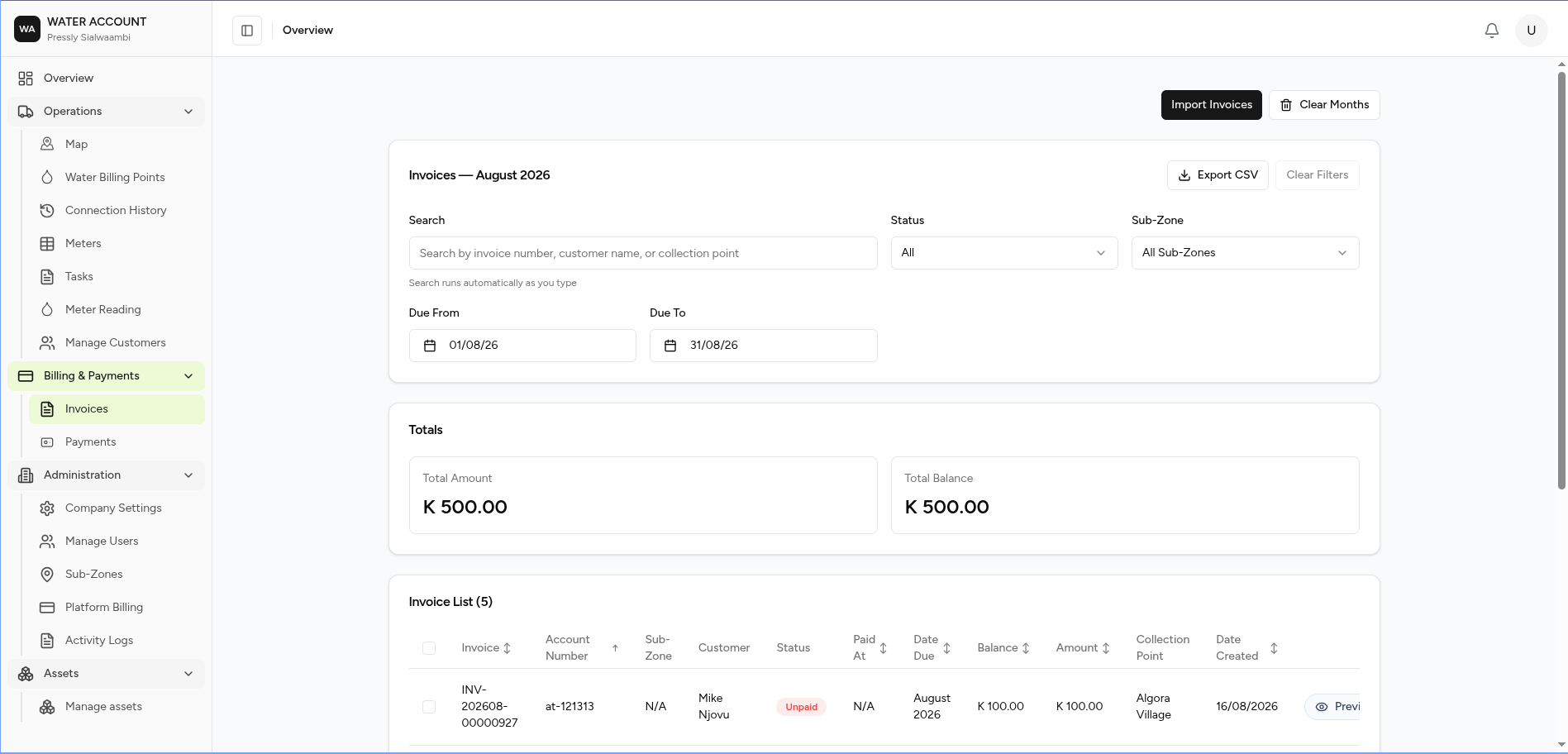
The Invoices page provides a central location for managing customer invoices generated during each billing cycle.
Finance teams can search invoices, review balances, preview invoices, print, email, download, send SMS notifications, and collect payments.
What You Can Do
From this page you can:
- View all invoices
- Search invoices
- Filter invoices
- View invoice totals
- Preview invoices
- Print invoices
- Download invoices
- Email invoices
- Send invoices by SMS
- Collect customer payments
- Import invoices
- Export invoice data
Screen Layout
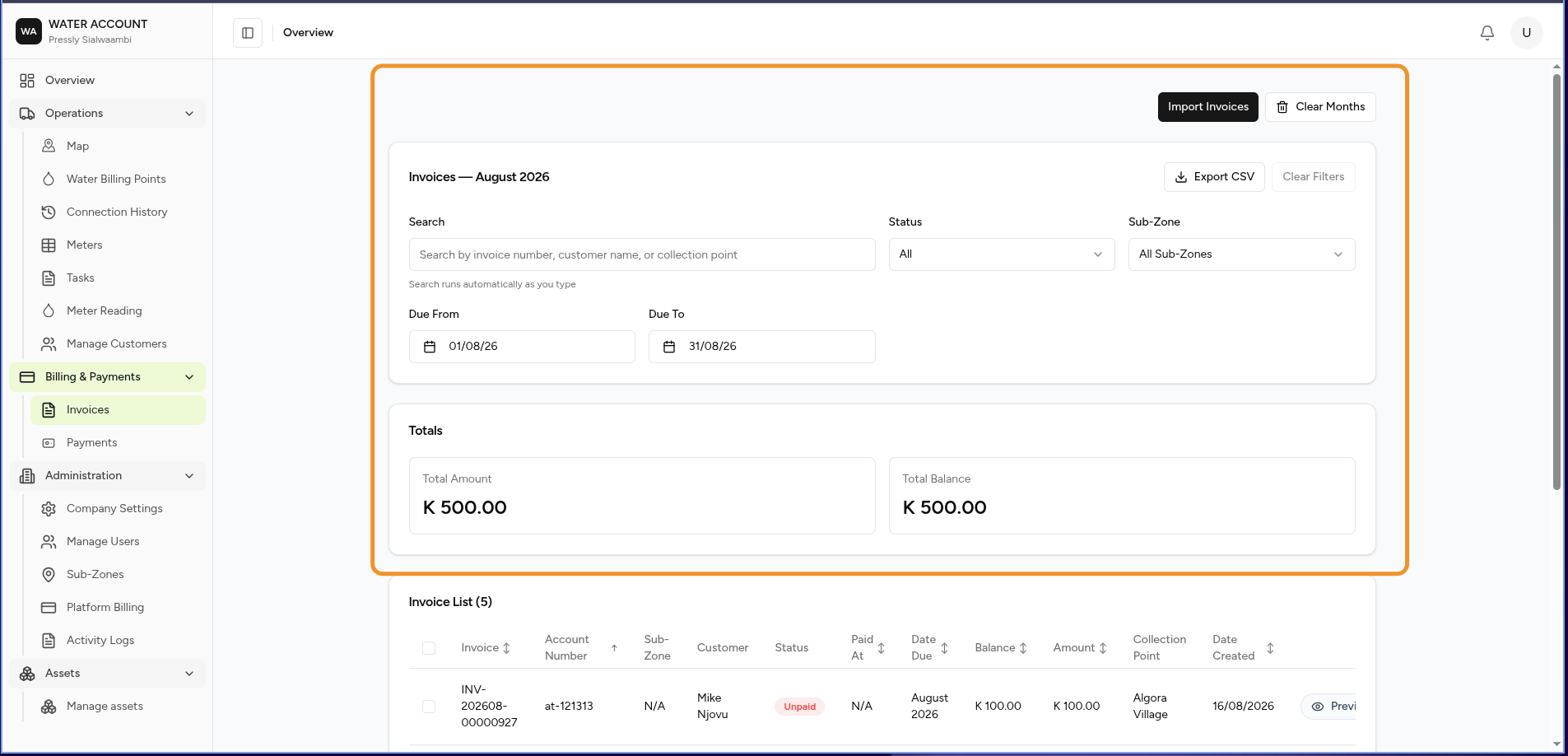
The page consists of:
- Action Bar
- Search & Filters
- Invoice Totals
- Invoice Register
- Invoice Actions
Page Actions
The action bar provides access to common billing operations.
| Action | Description |
|---|---|
| Import Invoices | Import invoice records into the system |
| Export CSV | Export invoice data |
| Clear Filters | Reset all active filters |
Search
Use the search field to locate invoices by:
- Invoice Number
- Customer Name
- Account Number
- Collection Point
Search results update automatically as you type.
Filters
Use filters to narrow the invoice list.
| Filter | Description |
|---|---|
| Status | Invoice payment status |
| Sub-Zone | Service area |
| Due From | Beginning of due date range |
| Due To | End of due date range |
Invoice Totals
The totals section provides a financial summary of the invoices currently displayed.
| Card | Description |
|---|---|
| Total Amount | Total value of all displayed invoices |
| Total Balance | Outstanding balance remaining |
Totals update automatically when filters are applied.
Invoice Register
Each row represents one customer invoice.
The register displays:
| Column | Description |
|---|---|
| Invoice Number | Unique invoice reference |
| Account Number | Customer account |
| Customer | Customer name |
| Status | Payment status |
| Billing Period | Invoice month |
| Amount | Original invoice amount |
| Balance | Remaining unpaid balance |
| Collection Point | Billing point or service address |
| Due Date | Invoice due date |
| Actions | Available invoice actions |
Invoice Status
Invoices can have one of the following statuses.
| Status | Meaning |
|---|---|
| Unpaid | No payment has been received |
| Partially Paid | Some payment has been received |
| Paid | Invoice has been settled |
| Overdue | Payment is past the due date |
| Cancelled | Invoice is no longer valid |
Invoice Actions
Each invoice includes an Actions menu.
Available actions include:
| Action | Description |
|---|---|
| Preview | View the invoice before printing or sending |
| Print a physical copy | |
| Download | Download the invoice as a PDF |
| Send the invoice by email | |
| SMS | Send an invoice notification by SMS |
| Pay Now | Record or process a payment against the invoice |
Some actions are only available when applicable. For example, Pay Now is displayed for invoices with an outstanding balance.
Expected Behaviour
The system should:
- Display invoices for the selected billing period.
- Update totals when filters change.
- Return matching invoices during search.
- Display available actions based on invoice status.
- Reduce the outstanding balance after a successful payment.
- Update the invoice status automatically after payment.
Business Rules
- Every invoice belongs to a Water Billing Point.
- An invoice is generated for a billing cycle.
- Multiple payments may be applied to a single invoice until the balance reaches zero.
- Paid invoices remain available for reporting and auditing.
- Invoice history cannot be deleted.
Typical Workflow
Generate Billing
        │
        ▼
Invoices Created
        │
        ▼
Review Invoices
        │
        ├── Preview
        ├── Print
        ├── Email
        ├── SMS
        ▼
Customer Receives Invoice
        │
        ▼
Payment Collected
        │
        ▼
Invoice Status Updated
Related Tasks
- ➜ Generate Monthly Billing
- ➜ Preview an Invoice
- ➜ Print an Invoice
- ➜ Email an Invoice
- ➜ Send an Invoice by SMS
- ➜ Collect Payment
Related Pages
- Billing Dashboard
- Customers
- Water Billing Points
- Meter Readings
- Payments
- Reports