🔄 Connection History
Purpose Display the history of changes made to water service connections, including status changes, meter assignments, and user activity.
Callouts
- Filter panel
- History table
- Pagination
- Empty state
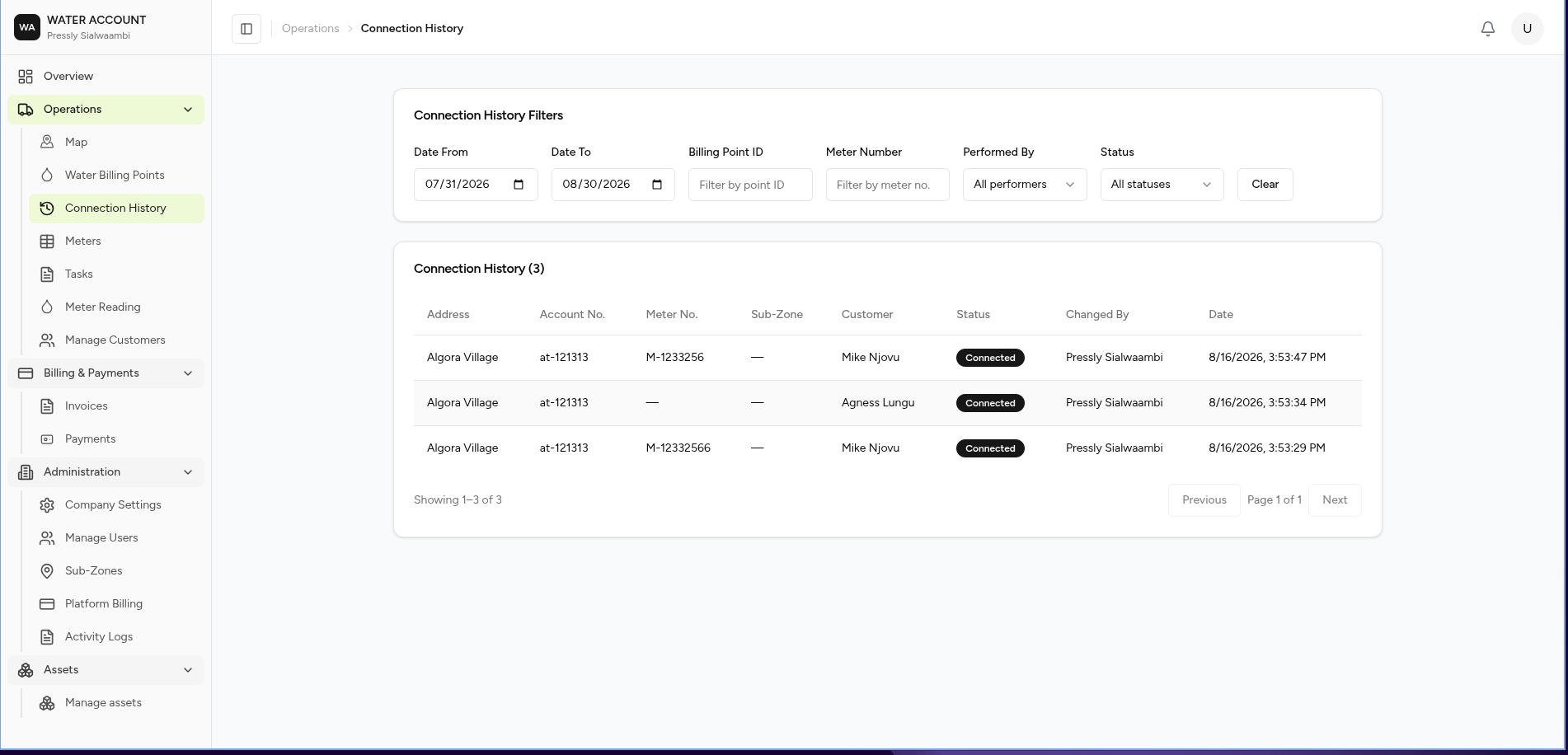
The Connection History page provides an audit trail of changes made to water billing points and service connections.
It helps users track when connection details changed, who made the change, and the current status of the service.
What You Can Do
From this page you can:
- View connection history
- Search by Billing Point
- Search by Meter Number
- Filter by date
- Filter by status
- Filter by user
- Review historical connection activity
Screen Layout
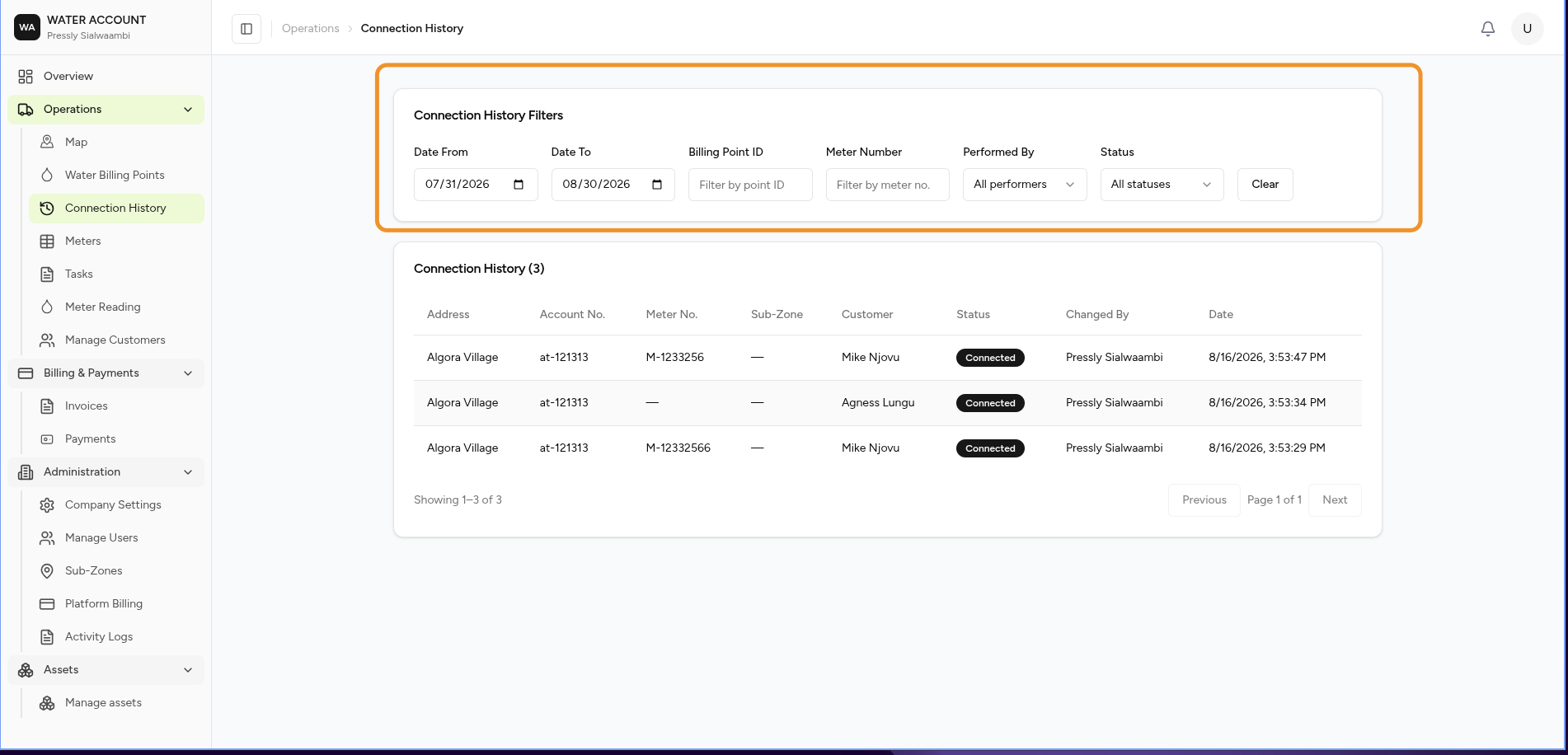
The page consists of:
- Filter Panel
- Connection History Register
- Pagination
Filters
Use the filters to locate specific connection records.
| Filter | Description |
|---|---|
| Date From | Beginning of the search period |
| Date To | End of the search period |
| Billing Point ID | Filter by Billing Point identifier |
| Meter Number | Filter by assigned meter |
| Performed By | User who made the change |
| Status | Connection status |
Select Clear to remove all filters.
Connection History Register
Each row represents a historical change made to a water service connection.
The register displays:
| Column | Description |
|---|---|
| Address | Service address |
| Account No. | Customer account number |
| Meter No. | Assigned meter |
| Sub-Zone | Service area |
| Customer | Customer name |
| Status | Connection status after the change |
| Changed By | User who performed the action |
| Date | Date and time of the change |
What is Recorded?
The history may include events such as:
- New service connection
- Meter assigned
- Meter replaced
- Connection activated
- Connection suspended
- Connection disconnected
- Connection reconnected
- Customer reassigned
- Service information updated
Each event is recorded automatically.
Empty State
If no records match the selected filters, the system displays:
No connection history found
This may occur because:
- No changes have been made.
- The selected filters returned no results.
- The Billing Point has no recorded history.
Expected Behaviour
The system should:
- Display connection history in chronological order.
- Apply filters immediately after searching.
- Record all connection changes automatically.
- Show the user who performed each action.
- Retain historical records even if the current connection changes.
Business Rules
- Every connection change is recorded automatically.
- Historical records cannot be edited.
- Historical records cannot be deleted.
- Only authorised users can view connection history.
Related Tasks
- ➜ Create a Billing Point
- ➜ Add a Meter
- ➜ View Billing Point Details
Related Pages
- Water Billing Points
- Meters
- Meter Readings
- Customers
- Activity Log