📍 Creating a Billing Point
A Billing Point must exist before a meter can be installed or a customer can be billed for water service.
Billing Points are created directly from the Map.
Before You Begin
Ensure:
- You know the service location
- You know the connection type (Metered or Unmetered)
- The customer already exists, or you're ready to create one during this flow
Steps
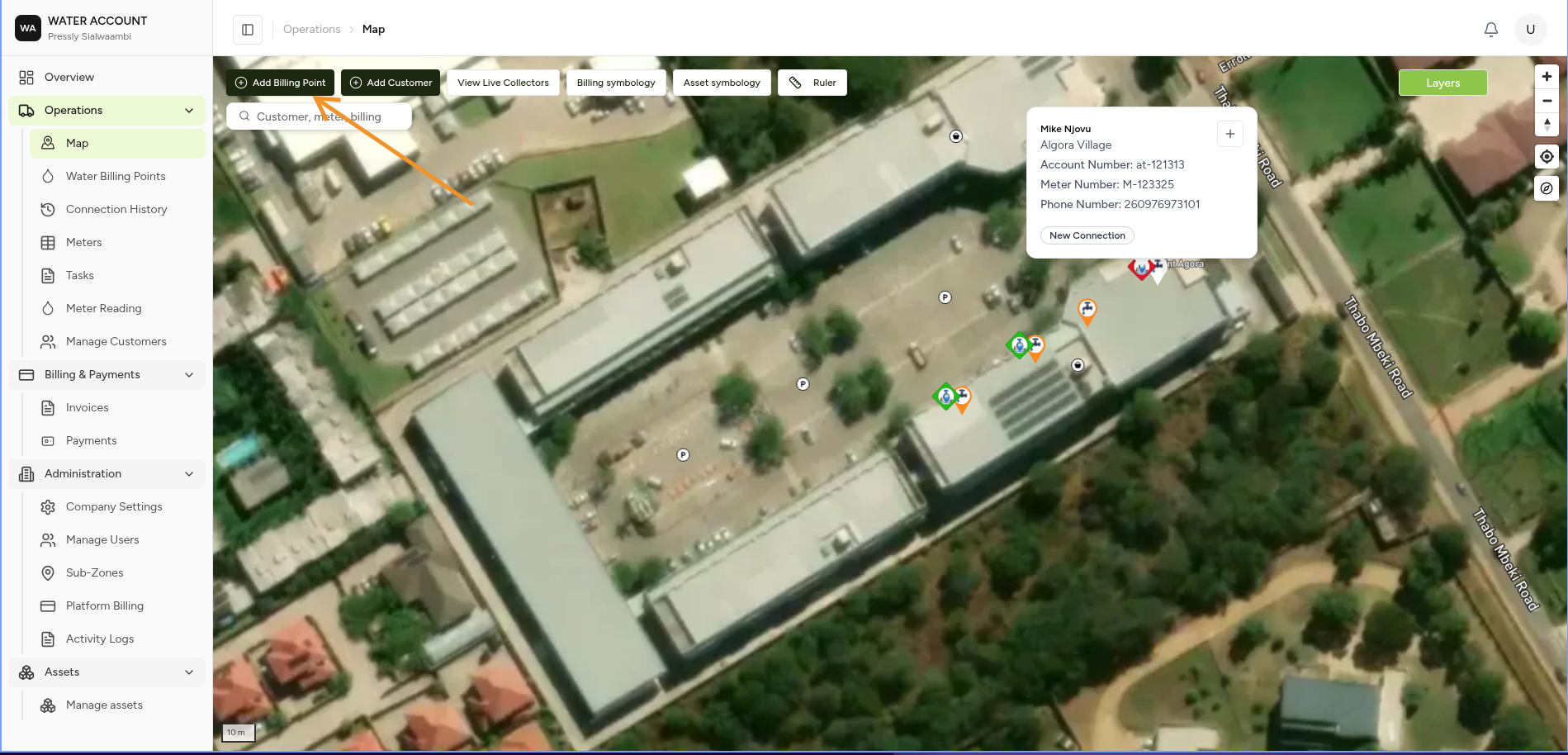
Step 1 — Open the Map and Click Add Billing Point
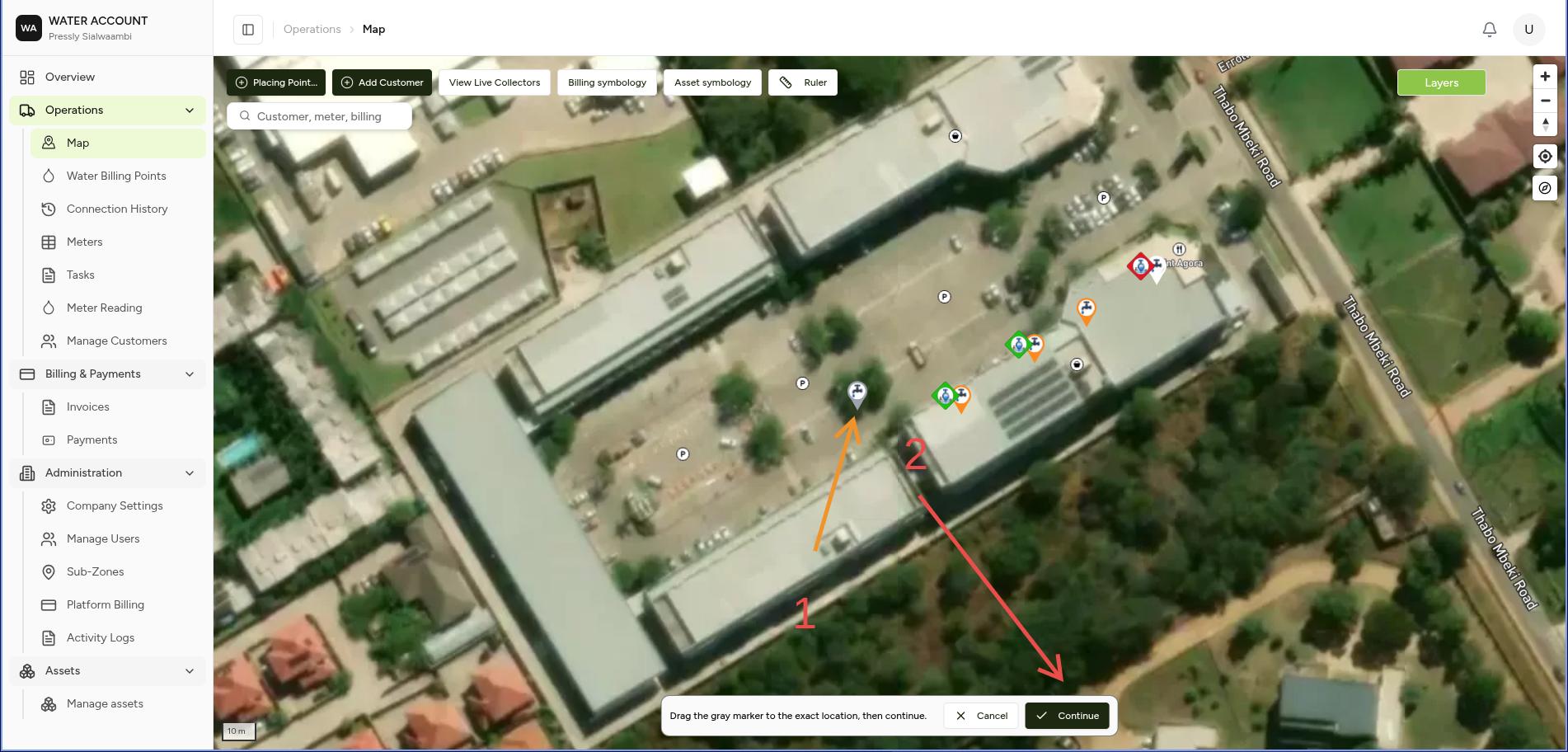
Step 2 — Place the Pin
Drag the marker to the exact service location, then click Continue.
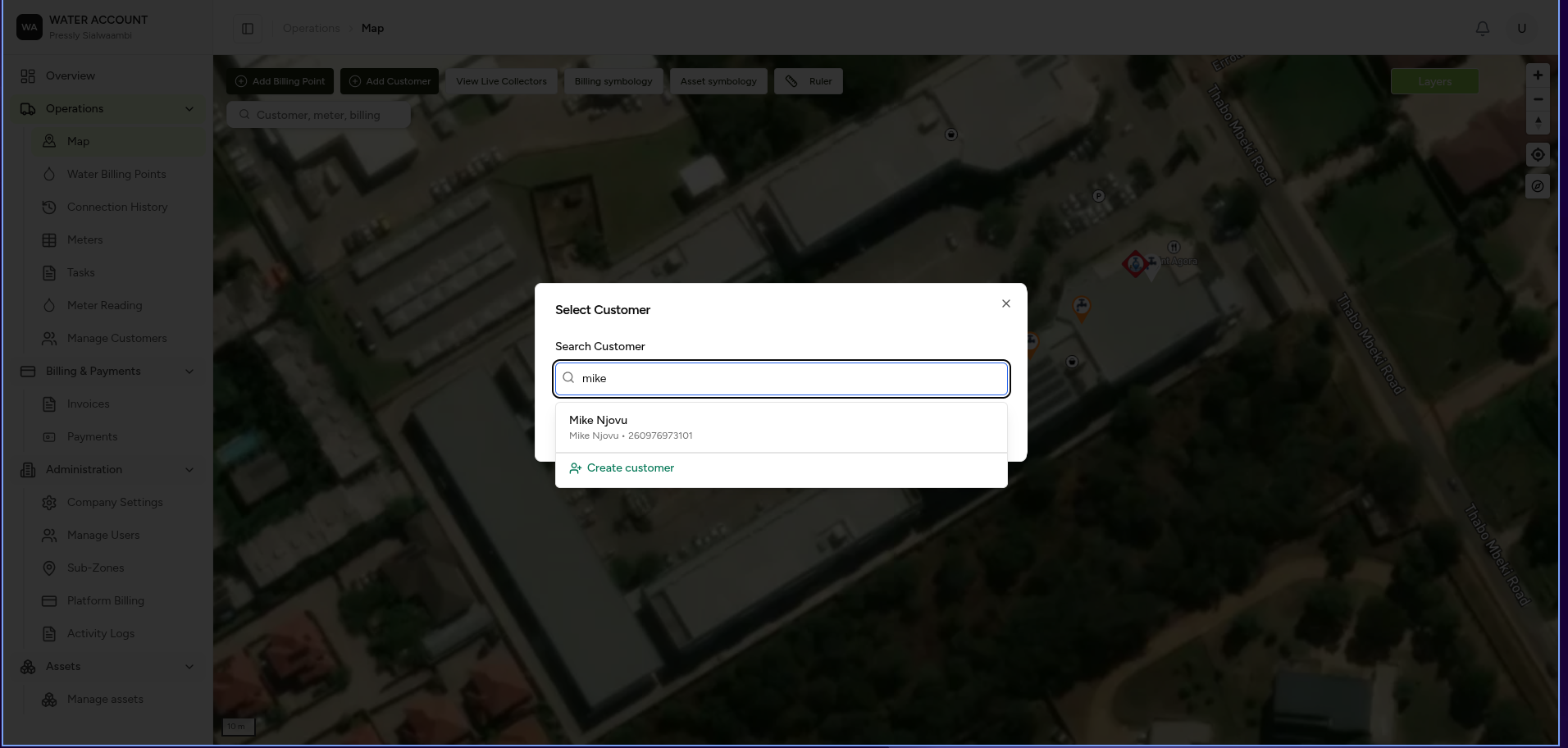
Step 3 — Search and Select the Customer
Search for an existing customer, or select Create customer to add a new one.
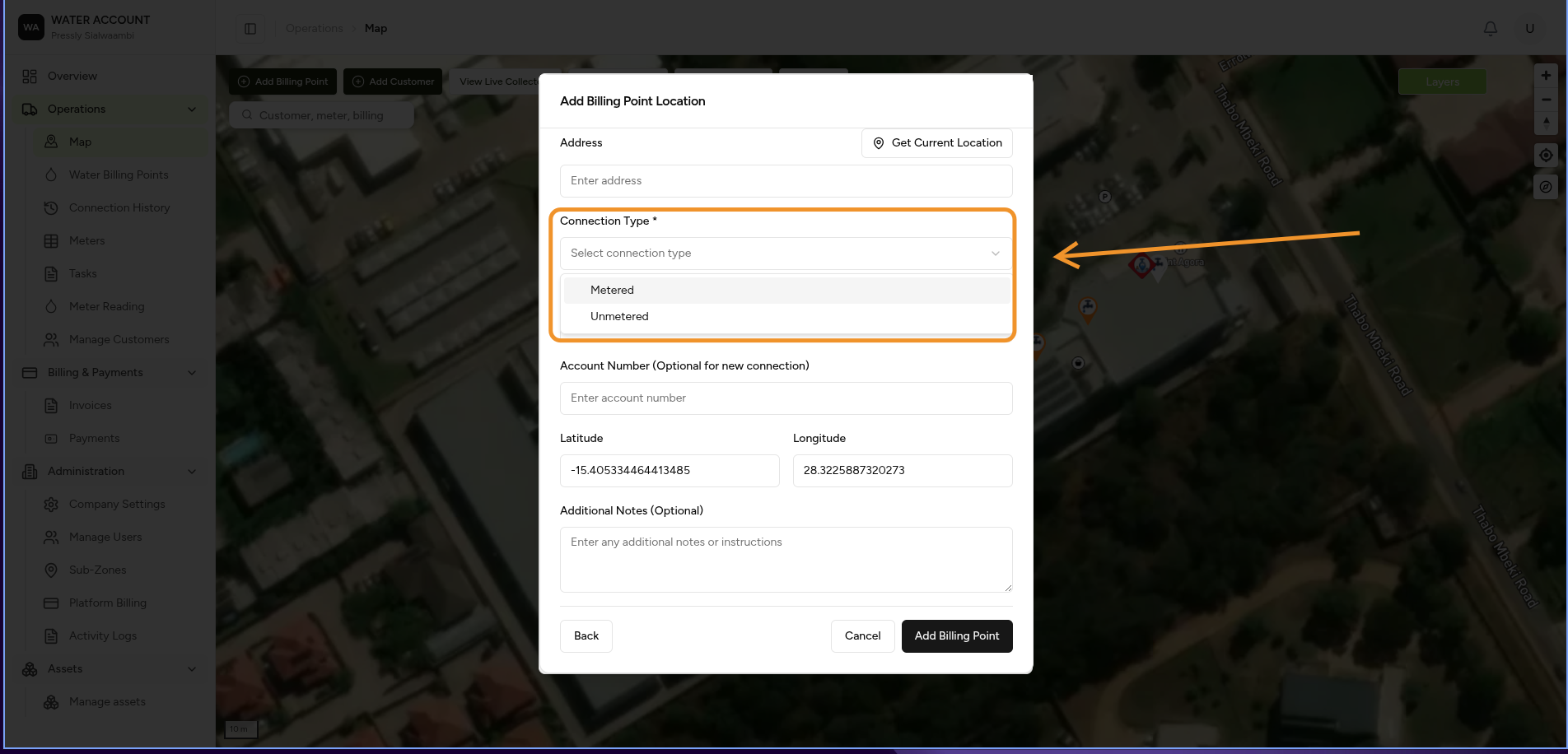
Step 4 — Fill In Billing Point Details
Complete the billing point form:
- Address
- Connection Type — Metered or Unmetered
- Account Number (optional for a new connection)
- Latitude / Longitude
- Additional Notes (optional)
Click Add Billing Point to save.
Expected Behaviour
- ✔ The billing point appears on the map at the pinned location.
- ✔ The billing point is linked to the selected customer.
- ✔ If Connection Type is set to Metered, the billing point is ready for meter installation.
Related Tasks
- Adding a Water Meter
- Water Billing Points