👥 Customers
Purpose Display the customer register, search tools, filters, and available customer actions.
Callouts
- Customer summary
- Search
- Page actions
- Filters
- Customer table
- Row actions
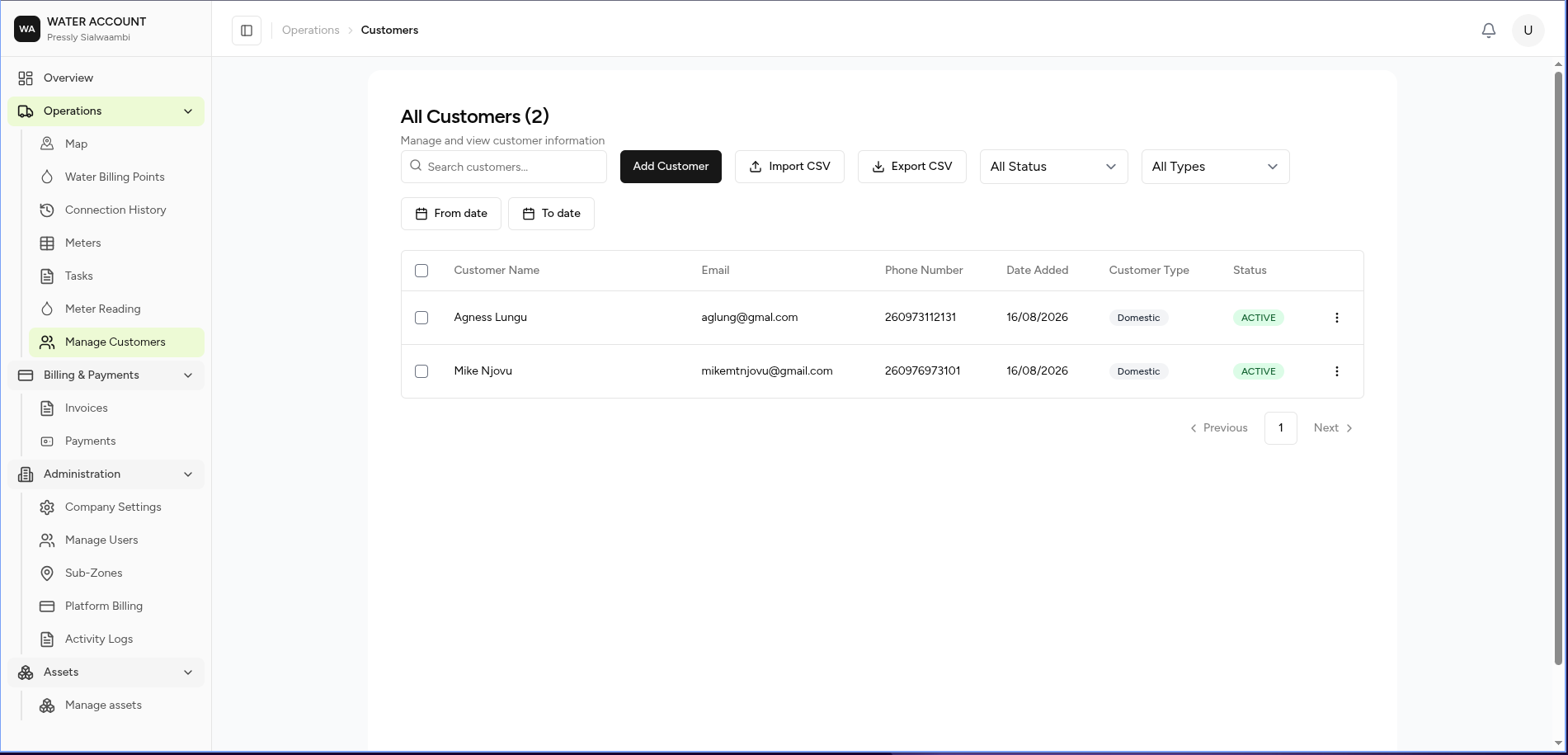
The Customers page provides a central location for managing all customers receiving water services.
Customers are linked to one or more Water Billing Points, which are then used for meter management, billing, and payments.
What You Can Do
From this page you can:
- View customers
- Search customer records
- Filter customers
- Register a new customer
- Import customers
- Export customer data
- Edit customer information
- Collect customer payments
- Delete customers
Screen Layout
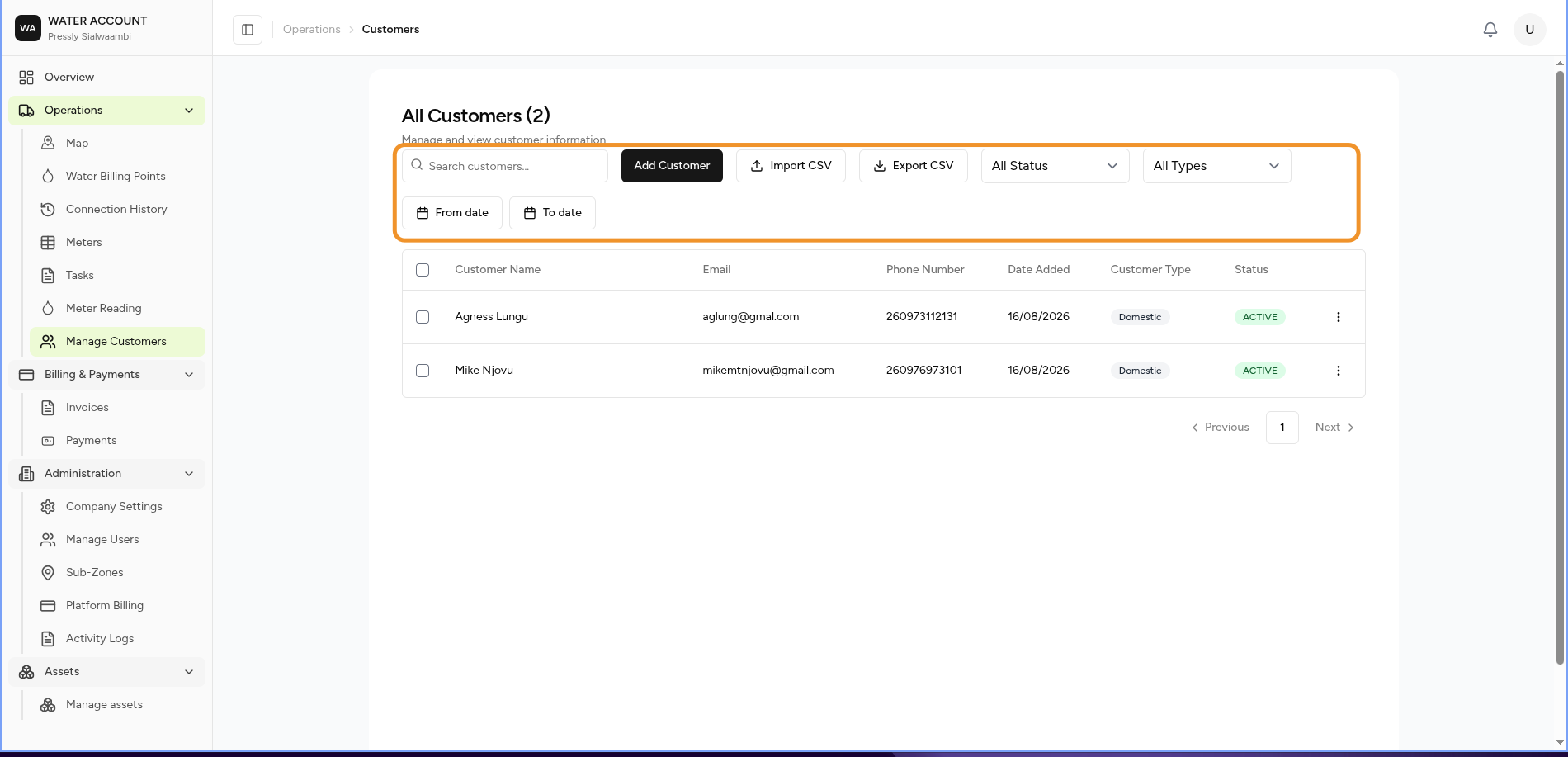
The page consists of:
- Customer Summary
- Search
- Action Bar
- Filters
- Customer Register
Page Actions
The action bar provides quick access to common customer operations.
| Action | Description |
|---|---|
| Add Customer | Register a new customer |
| Import CSV | Import customers from a CSV file |
| Export CSV | Export customer records |
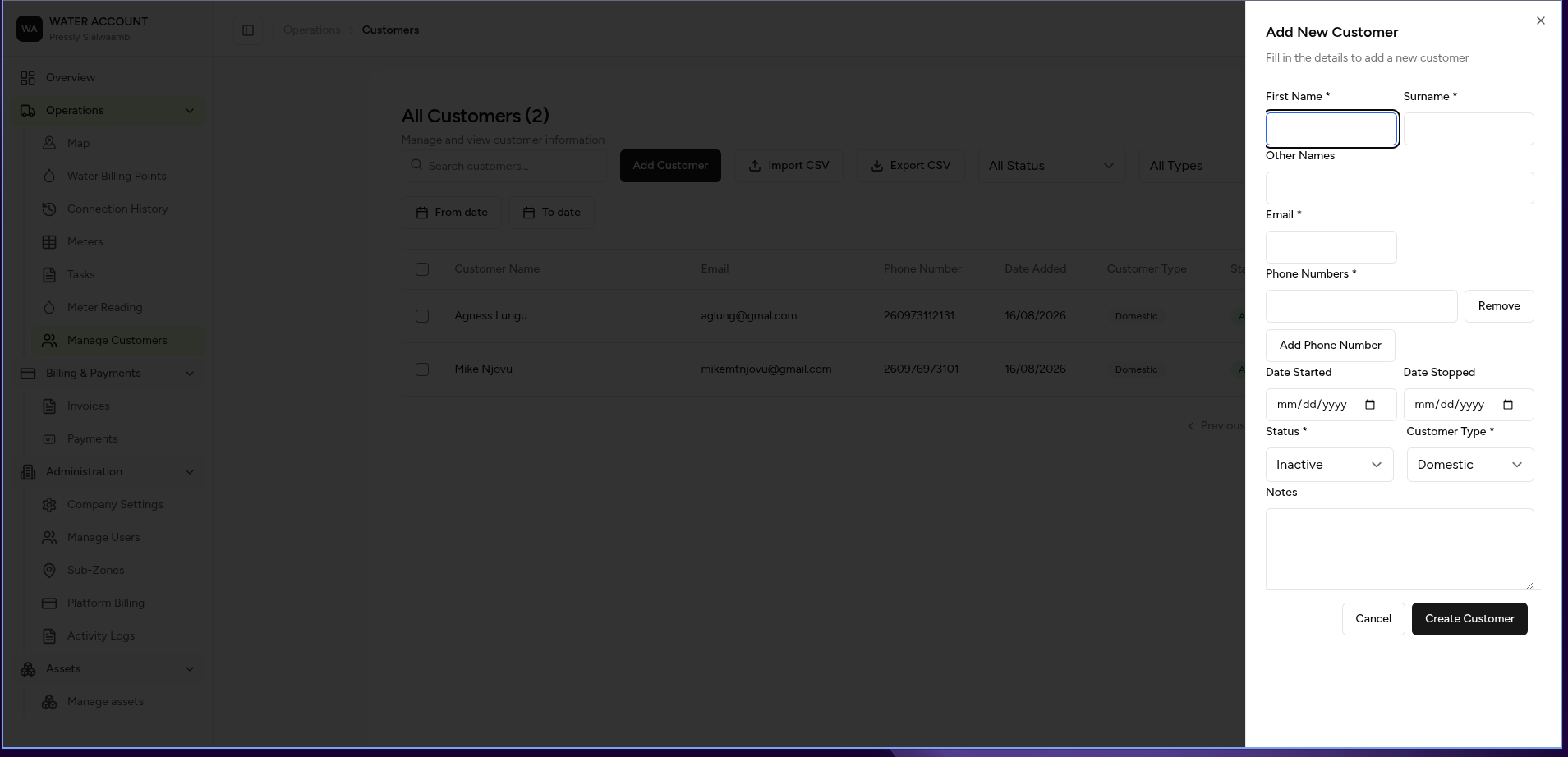
Search
Use the search box to locate customers.
Search supports:
- Customer name
- Email address
- Phone number
Filters
Use filters to narrow the customer list.
Available filters include:
| Filter | Description |
|---|---|
| Status | Customer account status |
| Customer Type | Domestic, Commercial, Industrial, etc. |
| From Date | Customers added after a selected date |
| To Date | Customers added before a selected date |
Customer Register
Each row represents one customer.
The register displays:
| Column | Description |
|---|---|
| Customer Name | Customer's full name |
| Primary email address | |
| Phone Number | Primary contact number |
| Date Added | Date the customer was registered |
| Customer Type | Customer category |
| Status | Current account status |
Customer Actions
Each customer includes an Actions menu.
Available actions include:
| Action | Description |
|---|---|
| Edit | Update customer information |
| Collect Payment | Record a payment from the customer |
| Delete | Remove the customer record (subject to permissions and business rules) |
Some actions may not be available depending on your permissions.
Customer Status
Typical statuses include:
| Status | Meaning |
|---|---|
| Active | Customer account is active and receiving services |
| Inactive | Customer account is not currently active |
| Suspended | Services have been temporarily suspended |
Expected Behaviour
The system should:
- Display all registered customers.
- Return matching search results.
- Apply selected filters.
- Open the selected customer for editing.
- Launch the payment workflow when Collect Payment is selected.
- Confirm before deleting a customer.
Business Rules
- Every customer may have one or more Water Billing Points.
- Customer information should remain unique.
- Customers with active billing records or payments may not be eligible for deletion, depending on company policy.
- Customer changes are recorded in the Activity Log.
Related Tasks
- ➜ Add Customer
- ➜ Create a Water Billing Point
- ➜ Collect Payment
- ➜ Edit Customer Details
Related Pages
- Water Billing Points
- Billing
- Payments
- Dashboard
- Activity Log